Free trial
AI agent + CRM + Chat

Resolve 93% of your WhatsApp conversations automatically

Your team answers the rest on the same number, with CRM, pipeline and Focus Mode.

No credit cardSet up in 5 minutesCancel anytime
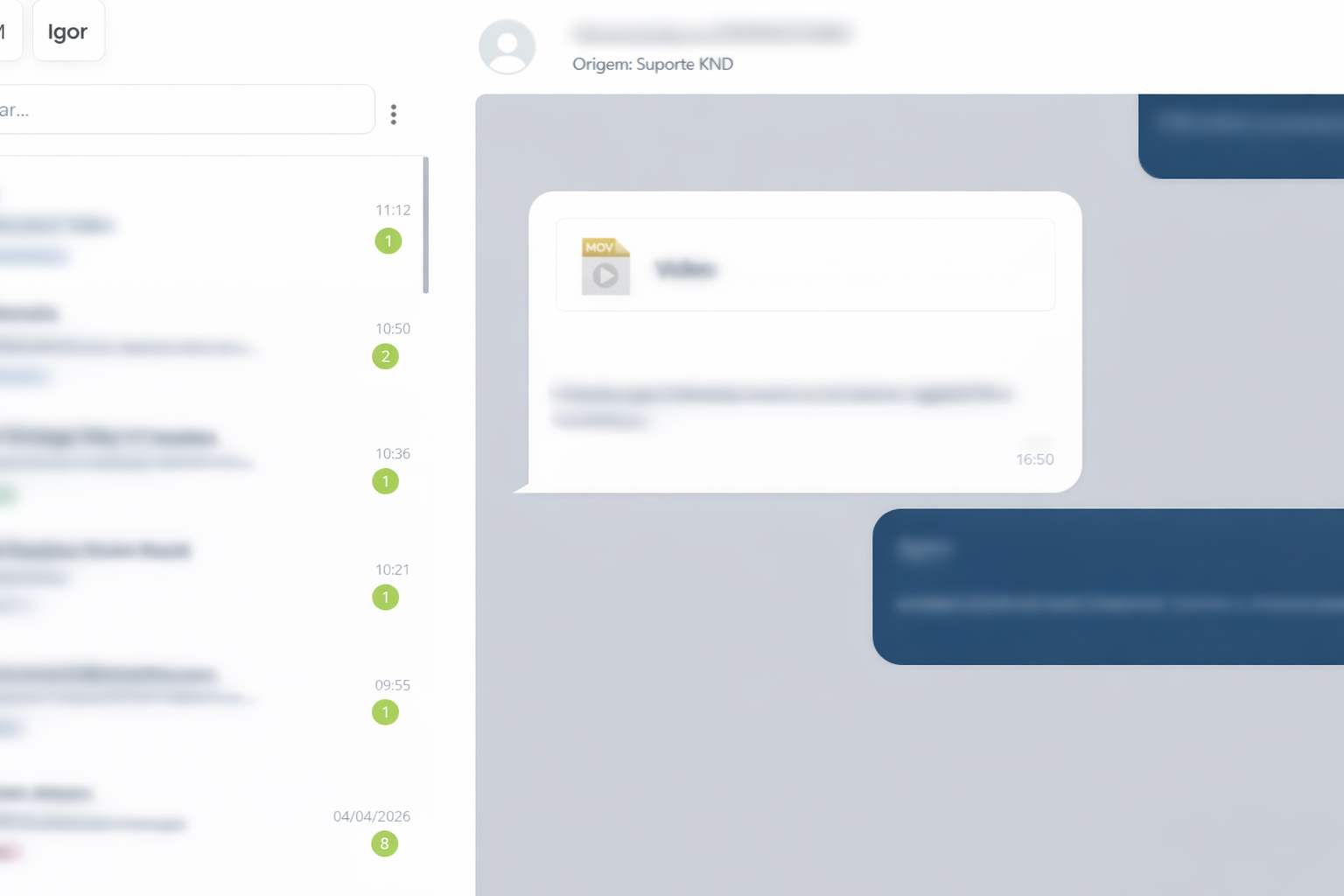
WhatsGW: AI agent, multi-user chat and built-in CRM in the same WhatsApp panel.

Companies that use WhatsGW to scale customer service on WhatsApp

Imobiliária PrimeClínica Vida+TechSupport BRGrupo HorizonteCondomínio AlfaVendas Pro
12,000+active companies
40,000+users on the multi-user chat
180M+messages/month
99.9%uptime · see status
AI agent

Want AI to answer before your team steps in?

Turn on the AI agent for sales, support and bookings on the front line. In configured operations, ~93% of conversations are resolved without human intervention, and whatever slips through lands automatically in Focus Mode with full context.

  • Automatic handoff to humans when needed
  • Works with the CRM, pipeline and Focus Mode
  • Scale volume without growing your team at the same rate
~93%of conversations resolved by AI
Problems we solve

Stop losing customers on WhatsApp

Is your team struggling with chaotic support? WhatsGW centralizes everything in a professional panel.
Your team struggles with:

  • Conversations lost on WhatsApp
  • Two agents answering the same customer
  • Forgotten leads
  • Conversations with no history
  • Disorganized sales process
  • Customers left without a reply

With WhatsGW you:

  • Centralize everything in one place
  • Organize customers in a pipeline
  • Distribute conversations
  • Keep the full history
  • Track pending items
  • Get a sales view of your WhatsApp
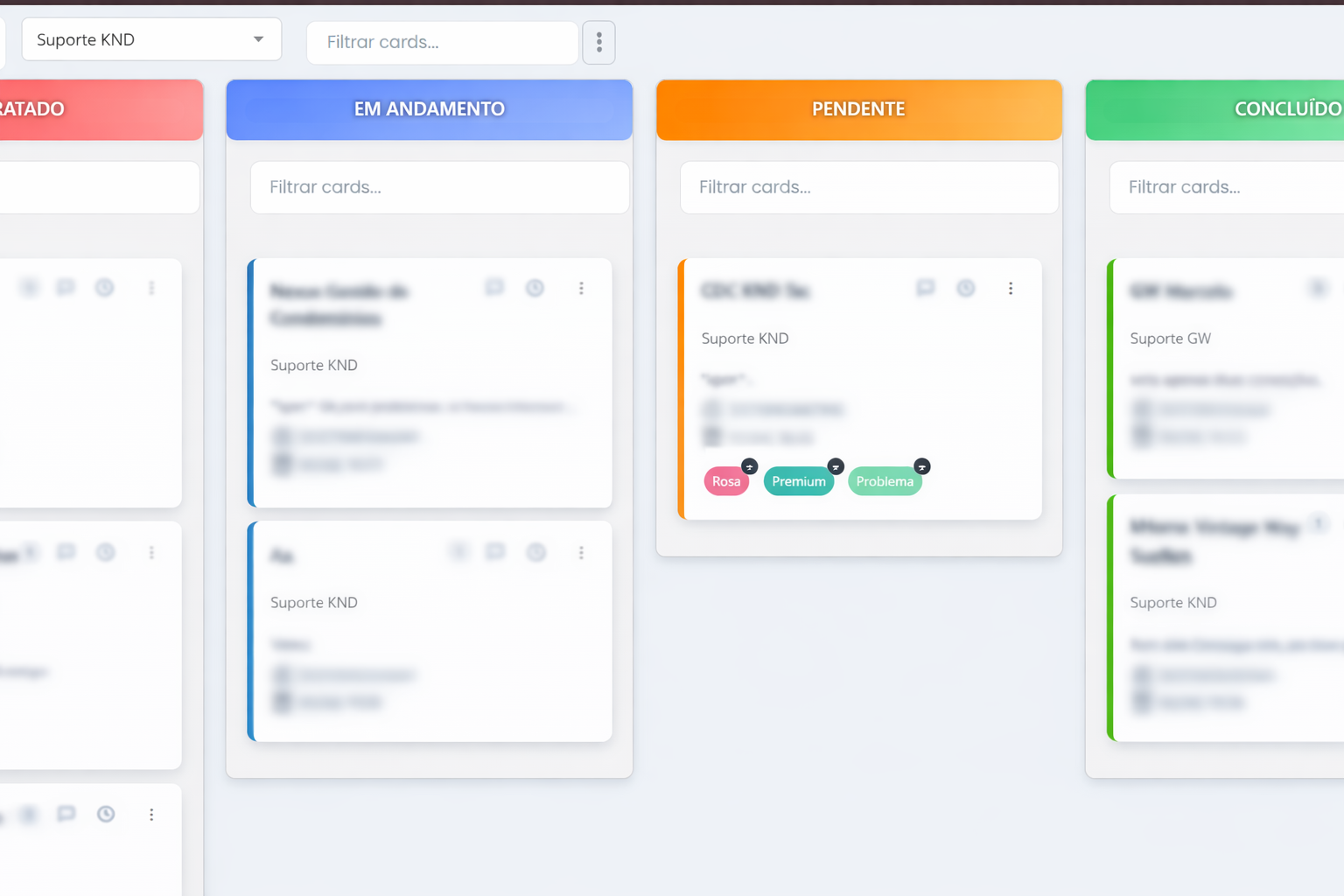
WhatsGW Kanban CRM panel with pipeline columns, lead cards and visual opportunity management.
Built-in pipeline

Your WhatsApp just became a complete CRM

Turn conversations into sales opportunities. A Kanban-style pipeline, custom columns and drag-and-drop cards between stages, without leaving the chat.
  • Not handled, Support, Pending, Following up
  • Sales funnel and visual lead management
  • AI-suggested column for each card
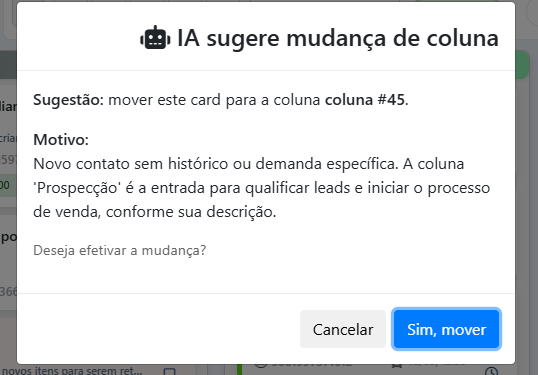
AI suggestion in the WhatsGW pipeline to move cards automatically between Kanban columns.
AI suggestion

AI points to the card’s next column

In the pipeline, the platform automatically suggests which stage to move each conversation to, cutting the time spent organizing the funnel by up to 40%. Teams that use it move on average 3x more cards per shift, without losing human control.

Team support

Serve customers as a team without losing context

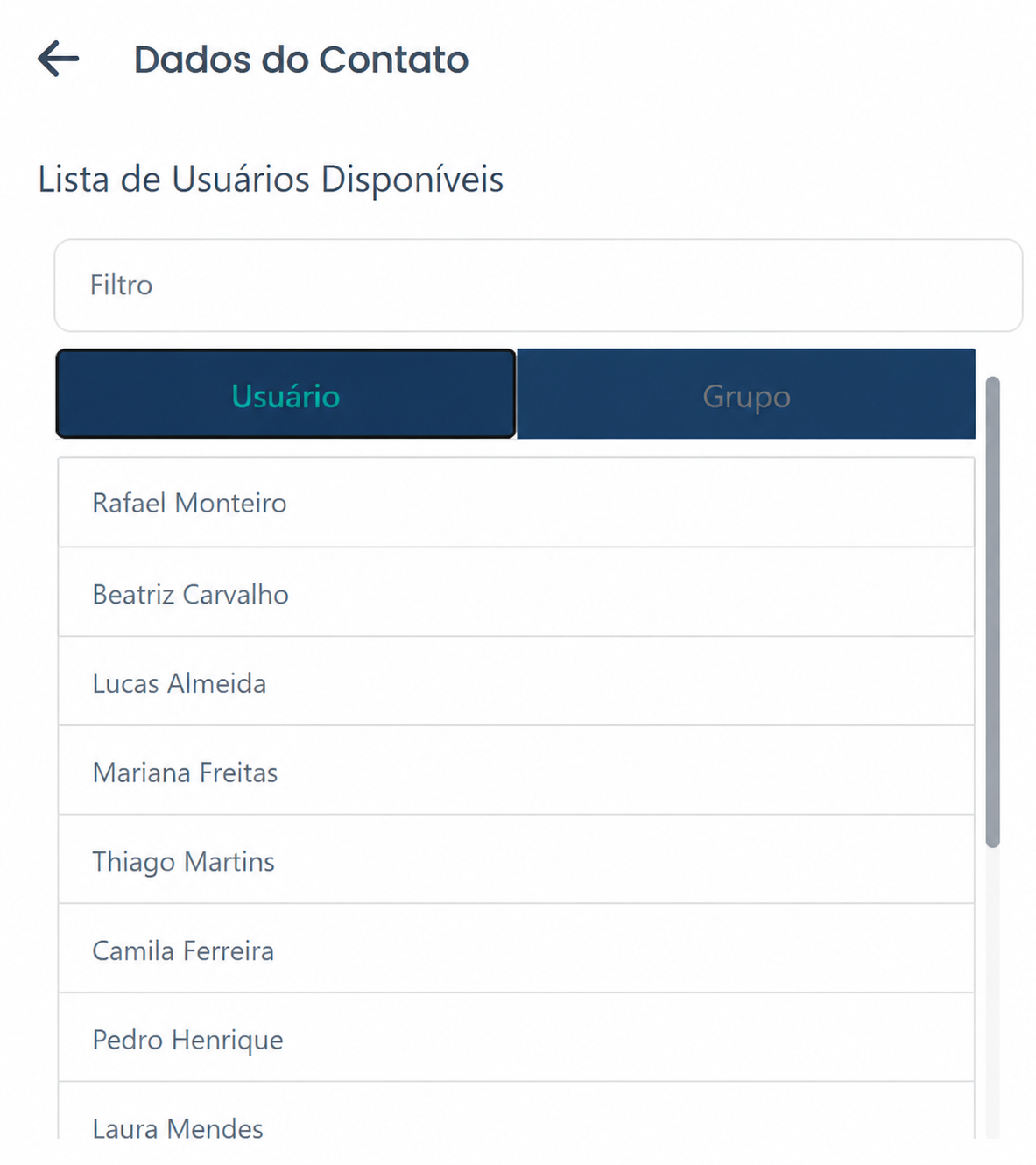
Shared inbox, several agents at the same time, transfers between departments and control over who is handling each conversation, all in real time.
  • Conversation distribution and smart queue
  • Agent status (“Available”)
  • Internal messages per agent
Screen for transferring conversations between departments and agents in real time.
Social proof & use cases

Real companies, different industries, measurable results

See how real estate agencies, support teams, clinics and sales teams centralized WhatsApp, and what changed in their operations.

Real estate

Imobiliária Horizonte centralized 12 agents on one number.

Average response time: 4h → 22 min · scheduled visits +38% in 90 days

“We used to lose leads because salespeople forgot to follow up. Focus Mode put an end to ‘I forgot to get back to the customer’.”
Ricardo Campos, Sales Director, Imobiliária Horizonte
Support

TechSupport BR unified 14 agents with SLA and shared history.

Critical tickets down to zero in 60 days · support NPS +24 points

“We centralized 14 agents on one number. Today we know exactly who is handling each customer.”
Mariana Lima, Head of Support, TechSupport BR
Clinics

Clínica Vida+ connected the front desk, confirmations and follow-ups in the same panel.

No-shows −31% · same-day confirmations

“We stopped relying on a side spreadsheet on personal WhatsApp.”
Ana Ribeiro, Manager, Clínica Vida+

Also used by: Sales (3x more opportunities in the funnel) · Collections · Condominiums · E-commerce

No credit cardSet up in 5 minutesCancel anytime

Focus Mode

One case at a time, with everything the agent needs

Besides Chat and Pipeline, Focus Mode puts your team in a smart queue: unanswered and open conversations, one case at a time, with full context.
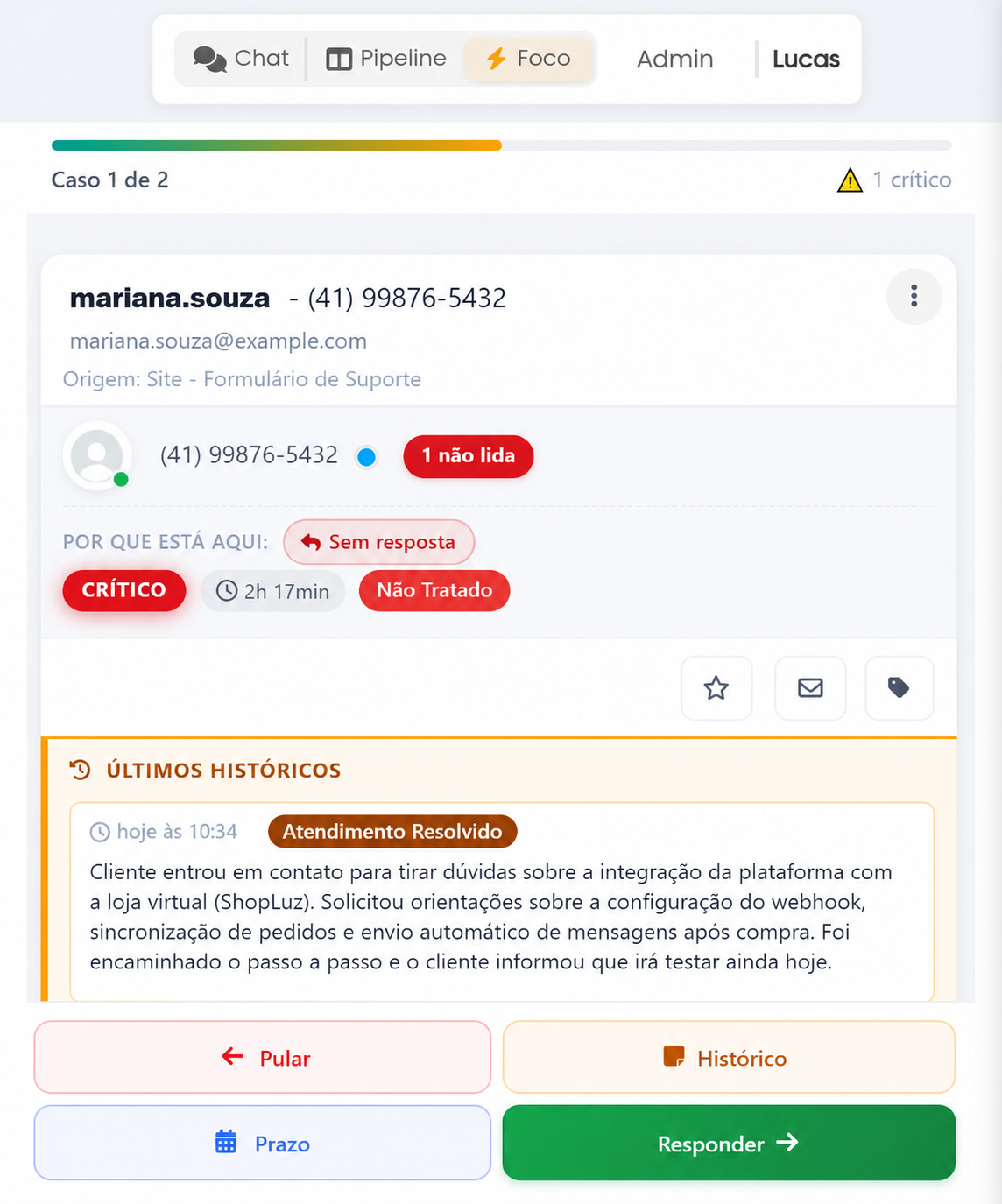
  • Queue with progress (“Case 1 of 16”) and critical alerts
  • Reason for the case: no reply, deadline, source and status
  • Recent history and the last message on the same screen
  • Quick actions: Flag, Unread, Label
  • Flow: Skip, History, Deadline and Reply
WhatsGW Focus Mode screen: Case 1 of 16 queue, tags, history and Skip, History, Deadline and Reply buttons.
WhatsGW follow-up deadline screen: schedule the follow-up and the return to the customer in Focus Mode.
Follow-up deadline

Never miss the right moment to get back to a customer

Set a deadline right in Focus Mode or in the conversation: the platform schedules the follow-up and keeps the case visible until contact is resumed.

  • Deadline button in the Focus Mode flow
  • Sales and support follow-ups in the same panel
  • Fewer forgotten leads after the first conversation
Monitoring

Idle detector and critical alerts

Spot stalled conversations, unanswered queues and critical cases before they turn into complaints. The panel highlights what needs the team’s immediate action.
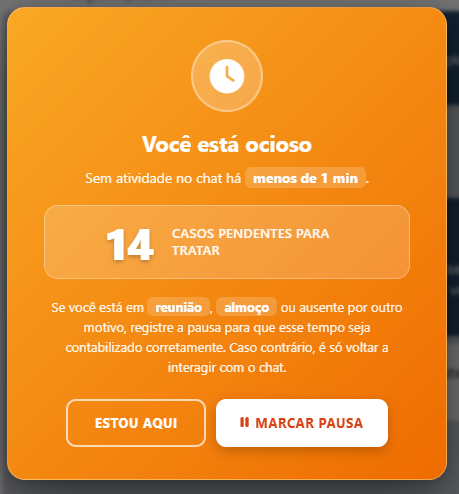
  • Critical case alerts in Focus Mode
  • Time without reply and SLA in plain sight
  • Prioritize what is idle or at risk
Idle detector and critical alerts in WhatsGW: unanswered conversations and pending items highlighted.
Conversation flow

From first contact to closed deal in 5 steps

One flow, human and organized, without repeating steps elsewhere.

Receive

The customer sends a message on WhatsApp

Organize

Tags, pipeline and priority

Focus Mode

Skip, deadline, history or reply

Serve

The team replies with full context

Close

Opportunity converted in the funnel

Complete platform

Everything your operation needs in a single panel

Support

Shared inbox · Multi-agent support · Transfers between agents · Real-time status · Permanent history · Internal messages

Sales

Kanban pipeline with AI · Sales funnel · Tags and priority · Lead tracking · Automatic follow-up

Operations

Focus Mode with smart queue · SLA and idle detector · Follow-up deadline · Critical cards · Reports

Visual demo

Centralize your customer service in one place

Chat and CRM working together: conversation, pipeline and customer data in the same flow.

Multi-user chat interface: conversation list, messages and support queue.
Multi-user chat
CRM screen: Kanban pipeline, labels, pending items and sales view.
CRM built into the chat
API and integrations

Connect your tools to your WhatsApp CRM

WhatsApp API, bulk messaging, multi-agent support and a CRM built into the chat. Automate flows and scale your operation without losing human control.

  • REST API for sending and receiving
  • Integration with automations (n8n and others)
  • Bulk messaging through the portal or the API
Results

What changes when you centralize WhatsApp

38%more scheduled visits (real estate)
22 minaverage response time (was 4h)
3xmore cards moved per shift
93%of conversations resolved by AI (when enabled)
FAQ

Frequently asked questions

Does it work with the official WhatsApp Business API or with QR code?

Both. WhatsGW supports connection through the official API (Cloud API) and also by QR code, depending on the plan and the needs of your operation.

Is there a risk of my number being banned?

We follow sending best practices and usage limits. We recommend the official API for high-volume operations, plus quality monitoring to reduce risk.

Do I need a new number or can I use my current one?

You can use your company’s current number. You don’t have to change your WhatsApp to get started.

How do I migrate my history?

History is recorded from the moment you connect. Our team advises on the best strategy to bring in context from previous systems, when applicable.

Does it integrate with my CRM (Pipedrive, HubSpot)?

Through the API and automations (n8n, webhooks and integration platforms), you connect leads and events to your sales stack.

How is my data protected? Where is it stored?

Access is controlled per user and data is stored on secure cloud infrastructure.

Does it work with audio, images, documents and stickers?

Yes. The chat supports the main WhatsApp media types, including audio, images, documents and stickers.

Is there a mobile app for agents?

The panel is responsive and works in the phone’s browser. Your team can answer from any device without installing a separate app.

What support do you offer?

Support via WhatsApp and the portal, with extended business-hours service and documentation for fast onboarding.

Plans

Multi-user chat with predictable pricing

Start with a small team at no cost and pay only when you need to scale.

Multi-user chat
Free

Up to 2 users

  • Shared inbox and built-in CRM
  • Focus Mode, pipeline and history
  • Ideal for validating your team operation
Additional user
R$ 49 (≈ US$ 9)/month

Per user above the free limit

Billed in Brazilian reais via PayPal; your bank converts to your currency.

  • Add agents as demand grows
  • Same features as the base plan
  • Billing proportional to your team

Put your team on the same number today

More than 12,000 companies and 40,000 users on the multi-user chat have already centralized customer service and sales on WhatsGW.

No credit cardSet up in 5 minutesCancel anytime

Talk to us now on WhatsApp

WhatsApp